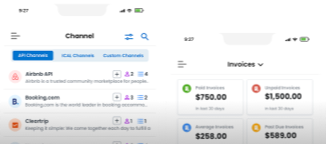
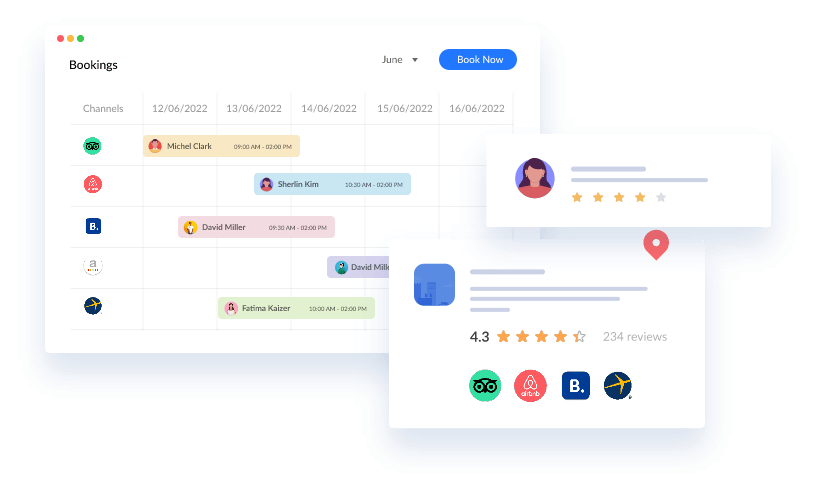
One booking. Connected calendars.
An API connection helps reduce manual updates and the risk of double bookings. Here is how availability moves between connected listings.
A guest books
A connected API channel sends the reservation to Tokeet, which adds the booking to your calendar.
Availability updates
Tokeet sends the updated availability to the other connected listings for that rental.
You check the activity
Use channel activity logs to check the rates and availability sent to each channel.
Sync timing depends on the connection and the channel. Connection errors and delays can occur, so no channel manager can guarantee zero double bookings.
Read the channel management guideWhich booking channels can you connect?
API connections support availability updates, rates sent from Tokeet, and booking imports. Supported features and setup requirements vary by channel.
| Channel | Connection | Setup guide |
|---|---|---|
| Available during the free trial | ||
| Airbnb | API | Connect Airbnb |
| Booking.com | API | Connect Booking.com |
| Expedia | API | Connect Expedia |
| Agoda | API | Connect Agoda |
| Requires a paid subscription | ||
| Vrbo | API | Connect Vrbo |
| Trip.com | API | Connect Trip.com |
| Google Vacation Rentals | API | Connect Google Vacation Rentals |
| Homes & Villas by Marriott | API | Connect Homes & Villas by Marriott |
| Rentals United | API | Connect Rentals United |
| Tiket | API | Connect Tiket |
| Holidu | API | Connect Holidu |
| Hopper | API | Contact support |
| Calendar connections | ||
| Other iCal channels | iCal | Connect calendars |
API: rates, availability, and bookings
Check each channel’s listing and connection requirements before setup. Channels that require a paid subscription cannot be connected during the free trial. Holidu also requires a minimum number of rentals. For Vrbo API, you need existing Vrbo listings and a connected Stripe account for payments managed through Tokeet.
iCal: calendar availability
Import and export calendar links to exchange availability. iCal does not send rates. Manage prices on the channel itself. Updates depend on calendar refreshes.
Make channel management easier
Start with the channels you already use. Follow the connection guides, match each listing to its rental, and check your rates and availability.
Need help with setup? Our support team can help you check the connection requirements for your properties.
Get setup helpHow Surf Break at Paunch manages four properties
David Emerson uses AdvanceCM to manage bookings, update rates, and reply to guests from one place. Read how this changed his daily work.
Read David’s storyChannel manager questions
Can I connect my existing listings?
Yes. Follow the guide for each supported channel and connect the listing to the correct rental. Review the channel’s requirements before enabling the connection.
Can I manage multiple properties?
Yes. Manage your rentals and their channel connections from one account. Match each listing to the correct rental so availability updates reach the right property.
How much does the channel manager cost?
Channel management is included in AdvanceCM. Use the pricing calculator to check the cost for your rental count and billing period.
Can I manage channels on my phone?
AdvanceCM has a mobile app for managing your properties while you are away from your desk. Explore the mobile app.
What should I do if a channel does not sync?
Check the connection status and activity logs. Review the affected dates on the channel itself. Contact support if an error persists before relying on the connection.
Does iCal sync prices and booking details?
iCal exchanges calendar availability. It does not send prices or provide the full booking details available through API connections. Use an API connection where supported.
Try your channels in AdvanceCM
Explore channel management and check the pricing for your properties.